Skip to content
Telmi

No bot joins the call

Know what to say, while they're still asking.

Telmi listens to your calls on your Mac and shows you the answer before the question ends. When you hang up, your notes, follow-up, and coaching are already written.

5 calls free, then $20/month. macOS 26 or later. Windows coming soon.

Try it here

A call, in your browser.

A scripted first sales call. Watch the answer arrive before the question ends, tap the buttons to reshape it, then see what Telmi writes when the call is over.

Pilot scoping · Priya at Larkspur Lending

Ready
  1. Priya runs operations at a lender. You're on a first call. Press play, or scroll and it starts.
Telmi
Sales pack

Listening.

A suggestion shows up here when they ask something worth answering.

Works with any call app, because it listens to your Mac, not the app.

  • Zoom
  • Google Meet
  • Microsoft Teams
  • Slack huddles
  • FaceTime

One app for the whole call

Live help and notes, built for the person doing the talking.

Most tools pick one: notes for later, or prompts for now. Telmi does both, for founders and reps who run their own calls.

During the call

The answer shows up while they're still asking.

Telmi hears both sides. When someone asks a question or raises a point worth answering, a SAY card appears with the words to use and a fact worth having ready. Often before they finish the sentence.

  • Early answers start from the first half of a question
  • Shorter, Expand, Simpler, More confident, or Rephrase in one tap
  • A side panel that floats over the call and stays out of screen share
  • Ask anything mid-call, or press Control-Space for what to say now
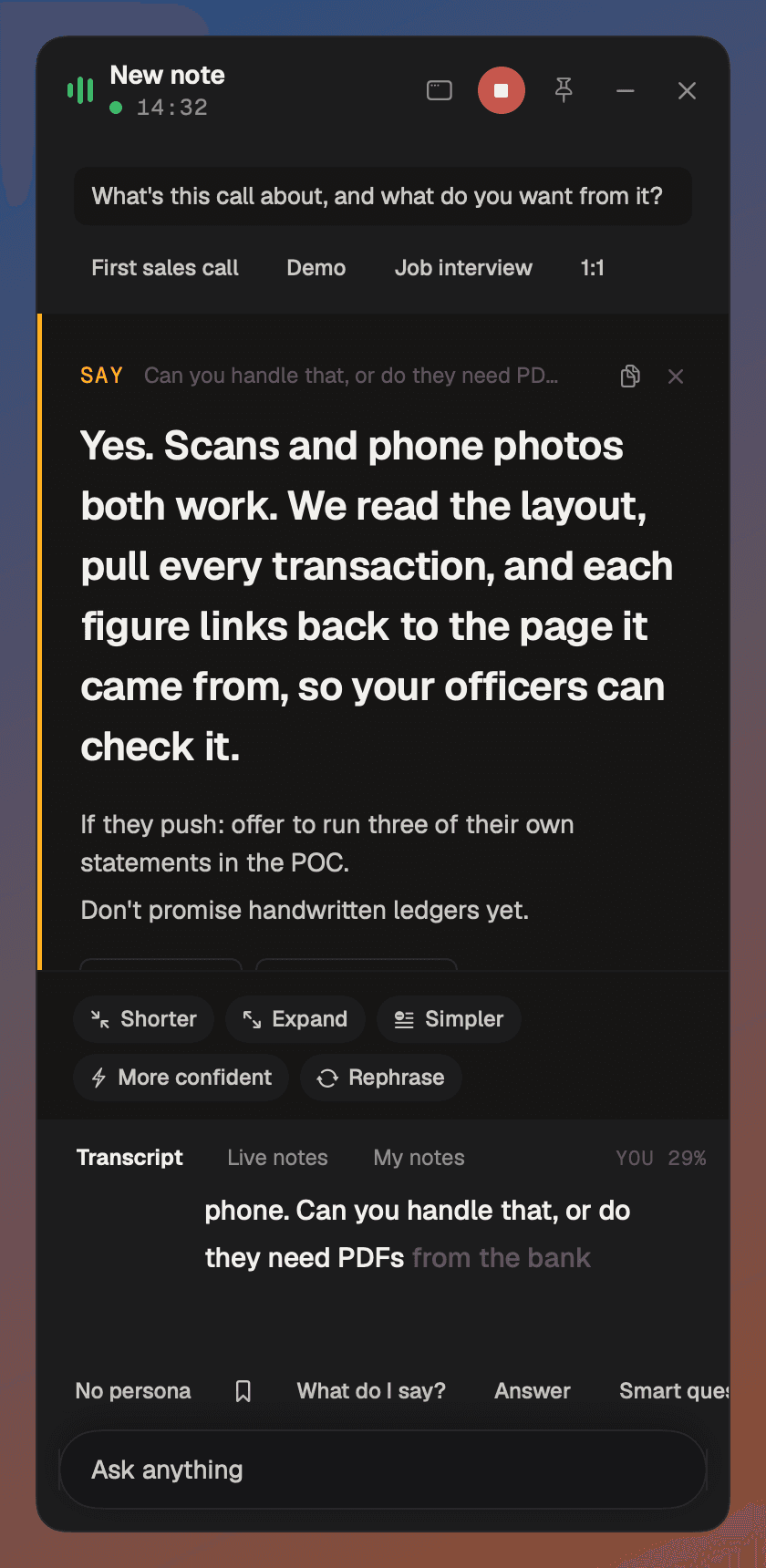
Telmi's side panel during a call: a SAY card answering a question about scanned statements, with Shorter, Expand, Simpler, More confident and Rephrase buttons, and the live transcript below.
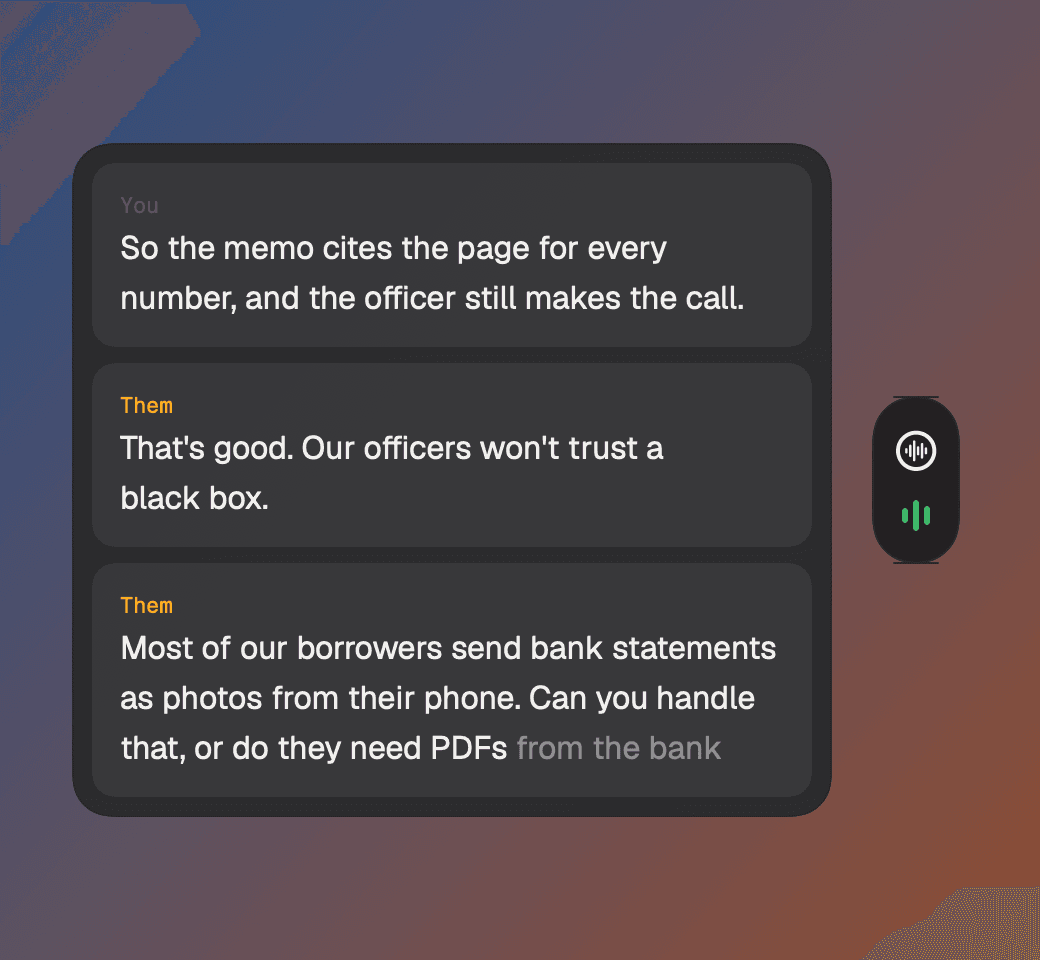
Telmi's floating transcript bubble, with lines from You and Them as they speak.

After the call

Hang up. The notes are already written.

Every call gets a summary, key points, decisions, action items with owners, and a follow-up email ready to send. Your own notes count most, so jot what matters and Telmi builds around it.

  • Coaching on every call: what to improve, better lines, questions you missed
  • Talk share, so you know if you did all the talking
  • Notes templates for sales, interviews, 1:1s, research, and investors
  • Copy as Markdown, or chat with the call afterwards
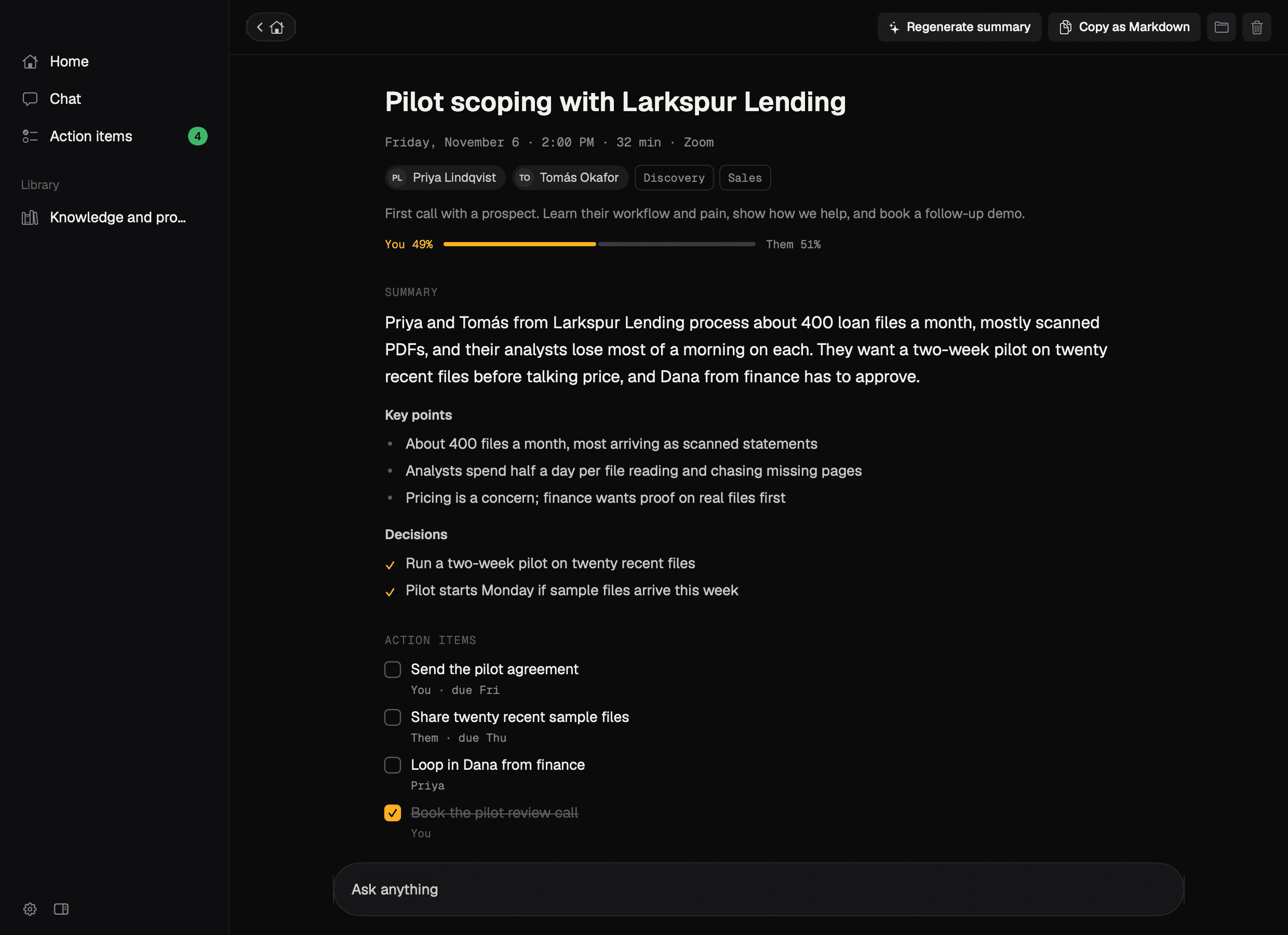
A saved meeting in Telmi: title, attendees, talk share, summary, key points, decisions, and action items.
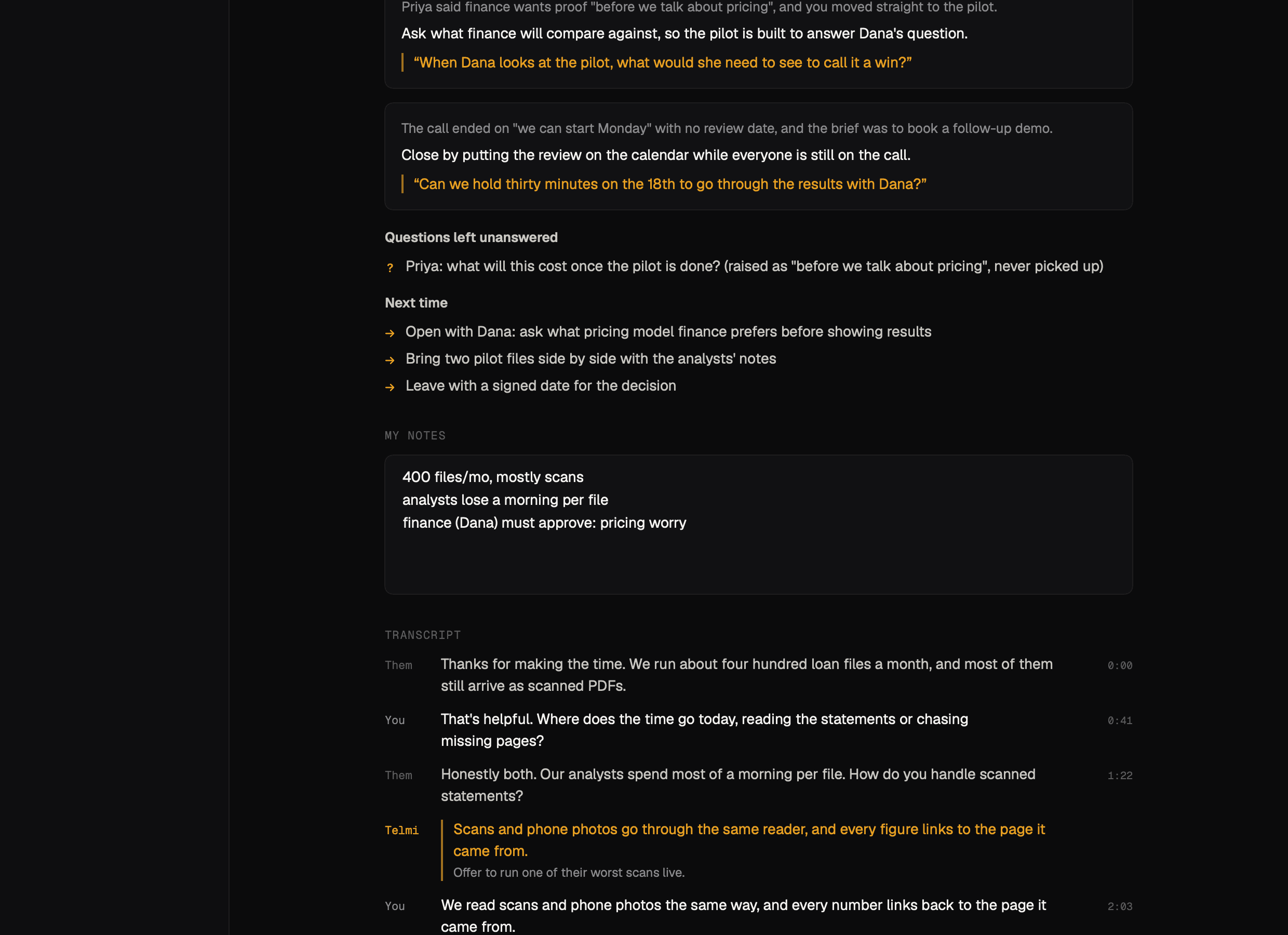
Telmi's coaching after a call: better lines to use next time, a question left unanswered, and what to do next time.

Before the call

Walk in knowing what happened last time.

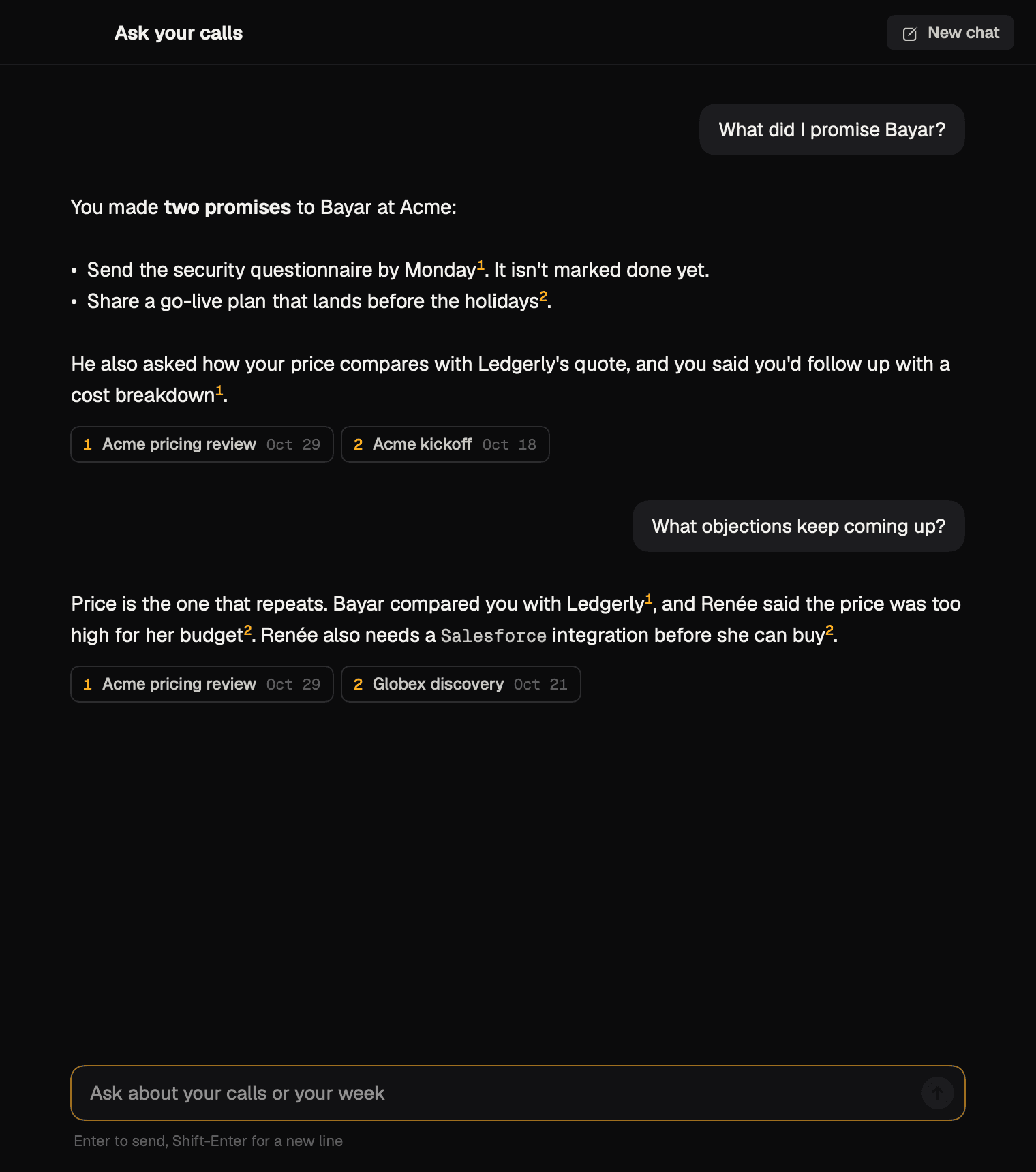
Telmi reads your Google Calendar, so each meeting has its own page for notes before it starts. Ask about past calls in plain English and get answers that link back to where they came from.

  • Your upcoming meetings, with attendees and the join link
  • Prep notes that carry into the call
  • “What did I promise Bayar?” answered from your calls
  • Telmi appears a minute before a meeting with a link
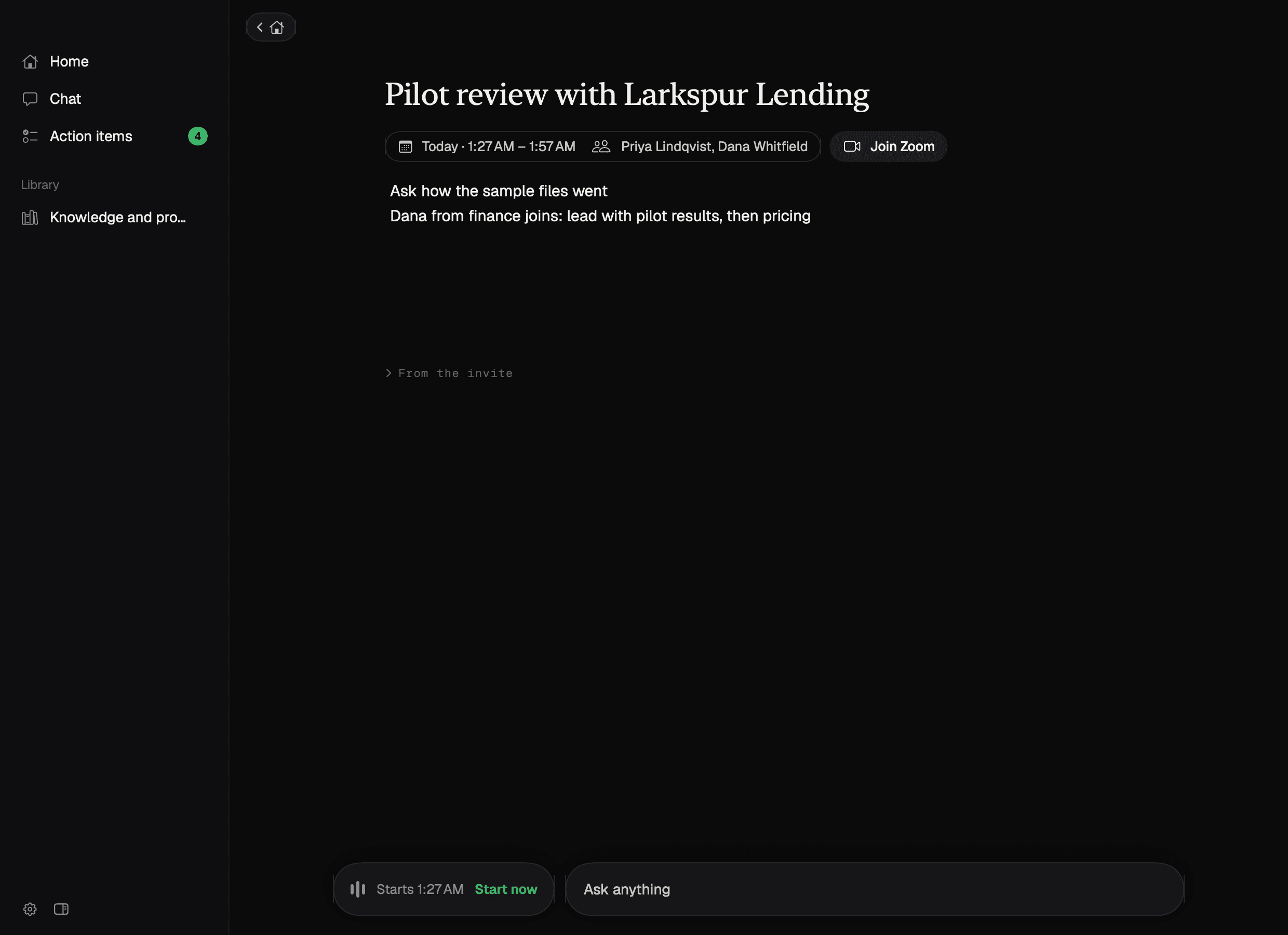
An upcoming meeting in Telmi with time, attendees, a Join Zoom button, and prep notes.
Telmi's chat answering 'What did I promise Bayar?' with cited calls.

Your knowledge

Answers in your words, with your facts.

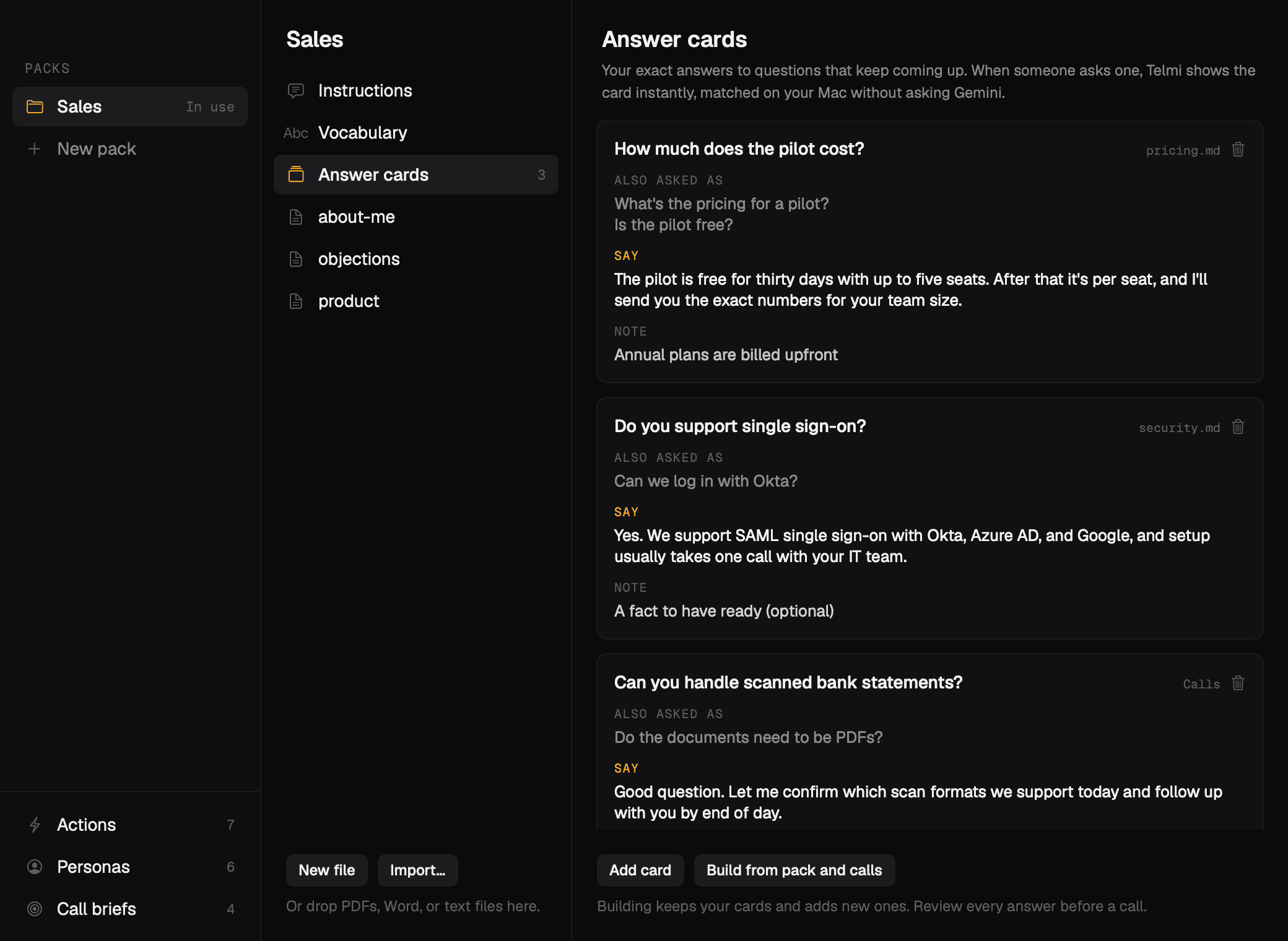
Knowledge packs hold your instructions, vocabulary, and files. Answer cards hold the exact answers to questions you get every week. When someone asks one, the card shows instantly, matched on your Mac.

  • One pack per kind of call: sales, interviews, investor updates
  • Drop in PDFs, Word, or text files
  • Company facts only come from your packs. Telmi doesn't guess numbers
  • Build answer cards from your packs and past calls
Telmi's knowledge window showing a Sales pack with answer cards for pricing, single sign-on, and scanned statements.

Watch

Watch Telmi in action.

Private by design

No bot. No recording on our servers.

Telmi is an app on your computer, not a participant in your meeting. Here's exactly what goes where.

Stays on your Mac

  • Audio. Speech is transcribed on the device with Apple's speech model
  • Transcripts, notes, and coaching, saved as files in a Telmi folder
  • Answer-card matching, done locally
  • Delete a call by deleting its folder

Goes to the AI

  • Text only: recent transcript excerpts, your notes, and the pack you picked
  • Sent through Telmi's server to Google's Gemini models to write suggestions and notes
  • We don't store the content of those requests

On Windows

  • Speech is transcribed in the cloud by Deepgram, streamed during the call
  • Everything else works the same: calls are stored on your PC

Our servers only hold your account, your plan, and a count of calls. Security and Privacy have the details.

Pricing

Try 5 calls free. Then $20 a month.

One plan, unlimited calls. No seats, no sales call required, cancel anytime.

FAQ

Questions people ask.

Does a bot join my meetings?
No. Telmi runs on your computer and listens to your microphone (You) and your computer's audio (Them). Nothing joins the call, and there's no extra participant in the list.
Which call apps does it work with?
Zoom, Google Meet, Teams, Slack, FaceTime, and any other app that plays the call through your computer. Telmi listens to the audio, not the app, and starts by itself when a call app starts using your mic.
Can the other people on the call see Telmi?
Telmi's windows are hidden from screen sharing on the Mac. It's best effort: a few apps capture the whole display in a way that can still show them, so check once with a test share.
Where are my calls stored?
On your computer, as files in a Telmi folder. We don't keep your transcripts or notes on our servers. Short text excerpts go to the AI model to write suggestions and notes. See Privacy for the details.
Do I need to tell people I'm using it?
Recording and transcription laws differ by place, and some require everyone's consent. Telmi makes it easy to stay on the right side of that, but telling people you're taking AI notes is the right default.
Is there a Windows version?
It's on the way. On Windows, speech recognition runs in the cloud (Deepgram) instead of on the device; everything else, including where calls are stored, works the same way.
What counts as a call on the free plan?
Any recording that runs at least a minute. You get 5 free. Shorter recordings don't count, and you can always read and chat about past calls.

Your next call is the best time to try it.

Install in a couple of minutes. Five calls on us, no card needed.